

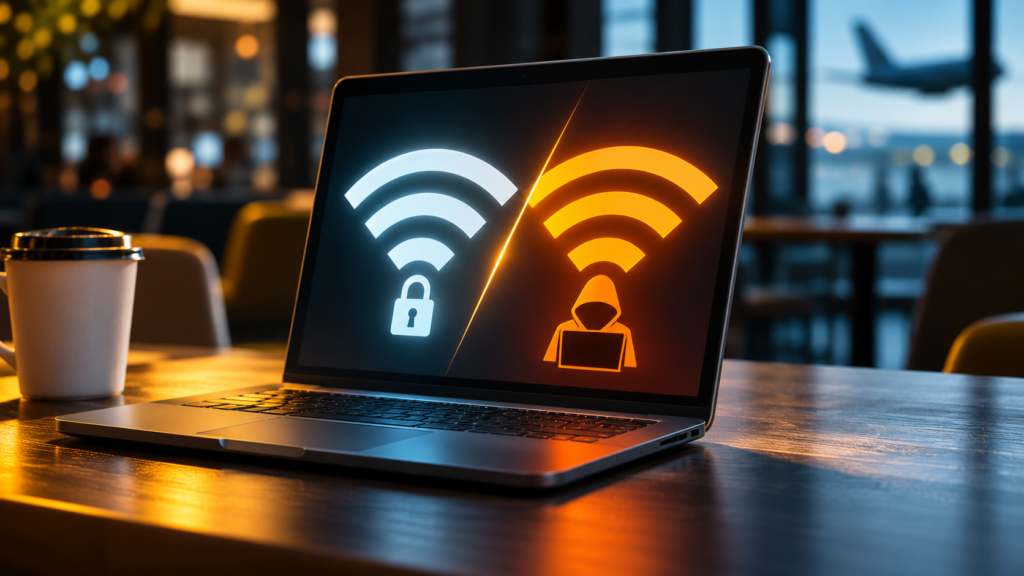
Yes, fake public Wi-Fi networks are genuinely dangerous, and criminals can set them up more easily than most people realize. A hacker can create a network named “Starbucks Free WiFi” or “Airport_Guest” in minutes, wait for people to connect, and quietly capture passwords, financial details, and private messages. This technique is called an evil twin attack, and a recent court case in Australia shows just how much damage one person with cheap, off-the-shelf equipment can do.
This article explains what evil twin attacks are, how they work, how common they have become, and the practical steps that individuals and businesses can take to stay safe on public Wi-Fi.
What is a fake public Wi-Fi network, or evil twin attack?
An evil twin attack is when a criminal sets up a wireless network that imitates a legitimate one, such as the free Wi-Fi at a coffee shop, hotel, or airport. The fake network uses a familiar, trustworthy-sounding name, so people connect without a second thought. Once a device joins, the attacker sits in the middle of the connection and can monitor, capture, or manipulate the traffic flowing through it.
The attack is effective for a few simple reasons:
- It looks completely normal. People expect to see a network named after the venue, so a convincing name is often all it takes.
- It is cheap to run. The hardware needed to broadcast a fake access point costs very little and fits in a bag.
- It exploits habit, not technology. Most people connect to open Wi-Fi automatically and never verify that the network is real.
What happened in the airport and in-flight Wi-Fi attack?
The clearest recent example comes from Australia, where a man named Michael Clapsis was sentenced in late 2025 to seven years and four months in prison for running evil twin Wi-Fi attacks at airports and on domestic flights, as reported by Security Affairs.
According to the Australian Federal Police, the case unfolded like this:
- The setup. Clapsis used a small, inexpensive device known as a Wi-Fi Pineapple to broadcast fake networks that mimicked legitimate ones at airports in Perth, Melbourne, and Adelaide, as well as on flights.
- The trap. When travelers connected, they were directed to fake sign-in pages that asked for their email or social media credentials, which the attacker then captured and stored.
- The discovery. The investigation began in April 2024 after an airline reported a suspicious Wi-Fi network on a domestic flight.
- The scale. Investigators recovered dozens of stolen credentials and numerous fraudulent Wi-Fi pages, and the harvested logins could have opened the door to victims’ banking and personal accounts.
The case reminds us that a single individual, armed with nothing more than a pocket-sized gadget, can compromise the accounts of travelers who thought they were simply checking email before a flight. Reporting on the arrest of Tom’s Hardware describes the same pattern.
How does an evil twin Wi-Fi attack work?
Evil twin attacks follow a predictable sequence, and understanding it makes the warning signs much easier to spot.
- The attacker broadcasts a lookalike network. Using a laptop or a dedicated device, the criminal creates an access point with a name that matches or closely resembles the venue’s real Wi-Fi.
- Victims connect automatically or by choice. Because the name looks legitimate, people join it, and many devices are set to reconnect to familiar network names on their own.
- A fake login or landing page appears. The victim is often shown a convincing sign-in or “accept terms” page that harvests credentials or payment details.
- The attacker intercepts the traffic. Sitting between the user and the internet, the criminal can capture unencrypted data, redirect the victim to malicious sites, or attempt to push malware.
- The stolen data is used or sold. Captured passwords and financial details are then used for fraud, account takeover, or resale.
What can hackers actually steal on public Wi-Fi?
When an attacker controls the network you are using, a surprising amount of sensitive information can be exposed, especially on sites and apps that are not properly encrypted.
- Login credentials for email, social media, and work accounts.
- Financial information, including banking logins and card details entered during a purchase.
- Private communications such as messages and unencrypted email contents.
- Session information that can let an attacker hijack an account you are already signed in to.
- A foothold for malware, if the attacker can trick you into downloading a malicious file or update.
The danger multiplies for anyone handling work data on the go, because a single compromised login can expose an employer’s systems and clients, not just the individual.
How common are fake public Wi-Fi attacks?
Public Wi-Fi risk is widespread, and most people are more exposed than they assume. Survey and research data paint a consistent picture.
- Many people have already been hit. In a July 2025 survey of more than 1,000 United States adults by Panda Security, 19 percent were certain they had experienced a security incident after using public Wi-Fi, and 36 percent at least suspected one, as detailed in Panda Security’s public Wi-Fi report.
- Few can spot a fake network. In the same survey, only about 20 percent of respondents felt very confident that they could identify a false Wi-Fi network, which is precisely the gap evil twin attacks exploit.
- People take real risks anyway. Despite the concern, 43 percent reported checking personal email on public Wi-Fi, 20 percent made card purchases, and 18 percent logged into a bank account.
- Unsecured networks are everywhere. Researchers have identified millions of exposed, unsecured public Wi-Fi networks worldwide, as covered by Security Magazine.
In other words, the behavior that makes these attacks profitable, connecting to open networks and using them for sensitive tasks, is extremely common.
Why are coffee shops and airports such common targets?
Attackers go where the people are, and few places concentrate distracted, connectivity-hungry users like a cafe or a terminal.
- High foot traffic. A busy coffee shop or airport provides a constant stream of potential victims throughout the day.
- Expected free Wi-Fi. People actively look for open networks in these venues, so a fake one blends right in.
- Distraction and hurry. Travelers and remote workers are often rushed or multitasking, which makes them less likely to question a network name.
- Valuable targets. Business travelers and professionals frequently carry access to corporate email, financial systems, and client data.
How can you tell if a public Wi-Fi network is fake?
You cannot always identify an evil twin with certainty, but several signs should raise your suspicion before you connect.
- Duplicate or slightly altered names. Two networks with nearly identical names, or a name with an odd spelling, are warning signs.
- No password on a business that usually has one. If a venue normally secures its Wi-Fi and you suddenly see an open version, be cautious.
- A login page that asks for too much. Legitimate guest Wi-Fi rarely needs your email password, social media login, or payment information just to connect.
- Unexpected certificate or security warnings. If your browser warns you that a site is not secure, stop and disconnect.
- When in doubt, ask. Staff at the venue can tell you the exact, correct name of their official network.
How can you stay safe on public Wi-Fi?
The goal is not to avoid public Wi-Fi entirely, but to use it in a way that gives an attacker nothing useful even if they are listening. A few habits make a large difference.
- Use a VPN. A reputable virtual private network encrypts your traffic, so even a compromised network cannot read it. This is the single most effective protection for public Wi-Fi.
- Prefer your own hotspot for sensitive tasks. When you need to log into a bank or handle work data, a personal mobile hotspot is far safer than open Wi-Fi.
- Verify the network name. Confirm the exact network name with staff rather than guessing from the list.
- Turn off auto-connect. Disable automatic connection to open networks so your device does not silently join a fake one.
- Enable multifactor authentication. With multifactor authentication on your important accounts, a stolen password alone is far less useful to an attacker.
- Stick to encrypted sites and apps. Look for the lock icon and current, reputable apps, and avoid entering sensitive information on any site that is not secure.
- Keep devices updated. Current operating systems and browsers close many of the weaknesses attackers rely on.
- Forget the network when you leave. Removing a public network from your saved list prevents your device from rejoining a lookalike later.
The United States Federal Trade Commission offers similar guidance for consumers on using public Wi-Fi safely.
What should businesses do about public Wi-Fi risk?
For any organization with staff who work remotely, travel, or simply take a laptop to a cafe, public Wi-Fi is a business risk, not just a personal one. A compromised employee login can become a direct path into company systems and client data.
The most effective protections combine technology with trained people:
- Require a company VPN for remote work. Make encrypted connections the default for any employee working outside the office.
- Enforce multifactor authentication everywhere. This limits the damage when a password is stolen, whether on public Wi-Fi or anywhere else.
- Train employees to recognize the risk. Ongoing security awareness training turns staff into a first line of defense rather than the weakest link.
- Set a clear mobile and remote work policy. Spell out what employees may and may not do on public networks, and give them safe alternatives such as hotspots.
- Know your weak points. A periodic security risk assessment helps identify where remote and mobile work could expose the business.
- Have a response plan. If an account is compromised, a tested incident response plan ensures the business can act quickly to contain it.
These measures are especially important for professional services firms whose employees routinely handle confidential client information on the move.
Frequently asked questions
Is it safe to use public Wi-Fi at all? Public Wi-Fi is reasonably safe for low-risk browsing if you take precautions, and much safer when you use a VPN. The real danger comes from handling sensitive information, such as banking or work logins, on an unverified open network without encryption.
Does a VPN fully protect me on public Wi-Fi? A reputable VPN encrypts your traffic and dramatically reduces the risk, which makes it the strongest single safeguard. It is not a license to ignore every other precaution, but combined with multifactor authentication and good habits, it closes most of the opening an attacker needs.
Can hackers steal my password even if I do not enter it on a fake page? Potentially, yes. On an unencrypted connection controlled by an attacker, data you send to insecure sites can be intercepted, and session information can sometimes be captured. Encryption through a VPN and secure sites is what prevents this.
What is a Wi-Fi Pineapple? It is a small, commercially available device originally built for legitimate security testing that can broadcast fake access points. In the wrong hands, as in the Australian case, it becomes a ready-made tool for evil twin attacks.
Should my company let employees use public Wi-Fi for work? Only with safeguards in place. A required company VPN, multifactor authentication, clear policy, and regular training allow employees to work remotely without turning every coffee shop into a security risk.
Give your team the tools to work safely anywhere
Evil twin attacks succeed because they target people, not just technology, which means the best defense combines smart tools with a well-trained team. Brightline IT helps businesses protect their people wherever they work, from security awareness training and remote access safeguards to risk assessments and incident response. Talk with our team about protecting your remote and mobile workforce.
Read next: Attackers are also going after specific industries with targeted social engineering. See our article on why hackers are targeting law firms with phishing and fake IT support calls, on the Brightline IT blog.
Sources: Security Affairs, Australian man jailed over airport and in-flight Wi-Fi attacks; Tom’s Hardware, evil twin wireless network arrest; Panda Security, public Wi-Fi safety survey (July 2025); Security Magazine, millions of unsecured public Wi-Fi networks exposed; U.S. Federal Trade Commission, public Wi-Fi safety guidance.
